
A focus highlight makes a form field glow when it becomes active, so visitors can see where to start typing. You can focus the first field automatically when the page loads, or scroll to the form and focus it when a visitor clicks a call to action button. The second option is useful when the form sits below the fold.
This is community code, not an official Unbounce feature. Unbounce Support can't troubleshoot custom code. Test it on a published page before relying on it, and work with a developer if you aren't comfortable editing HTML, JavaScript, and CSS.
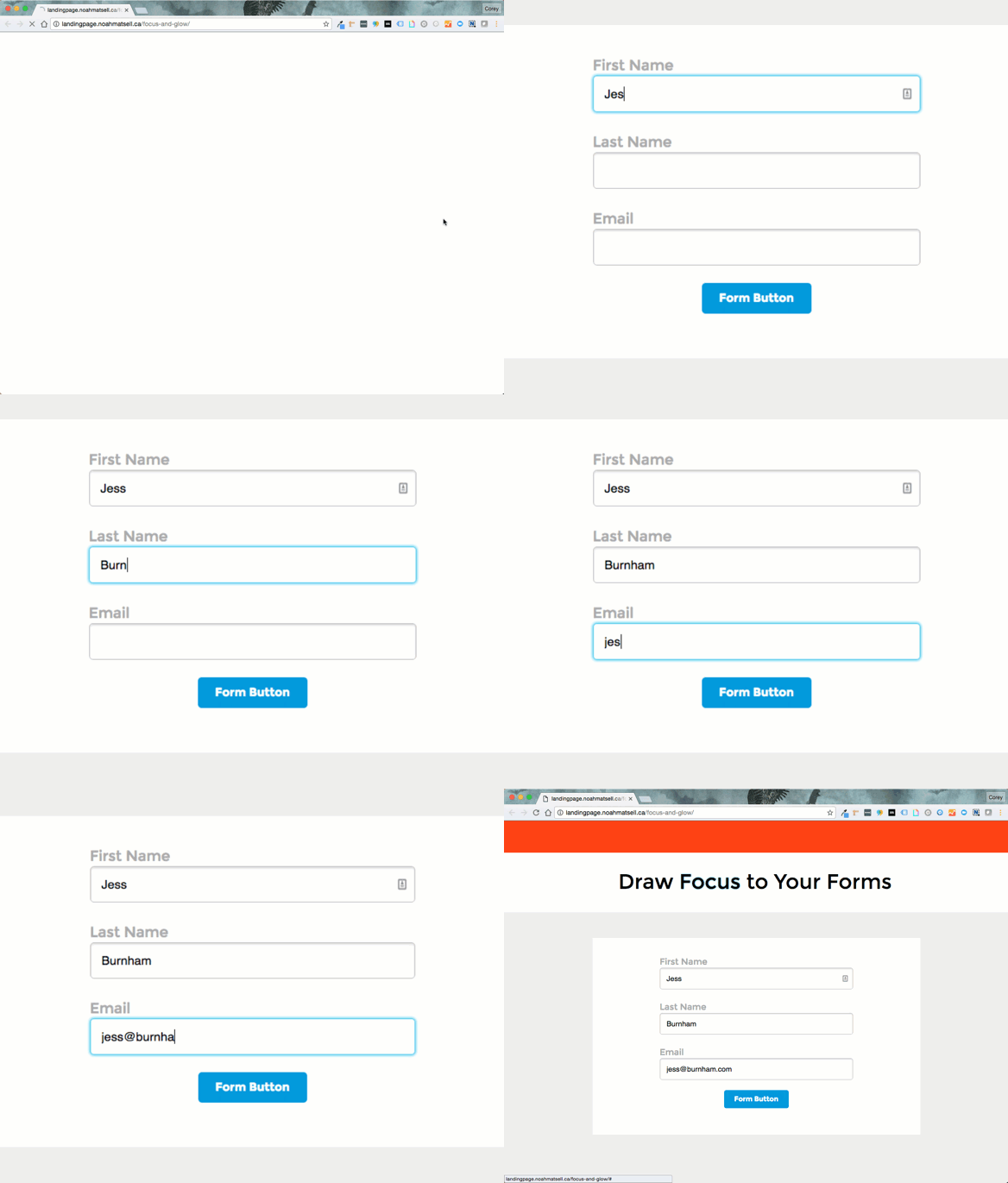
Step 1. Add the styles
Add the following to your page's Stylesheets section. The focusGlow class is applied to a field while it's active:
<style>
  .glow { text-shadow: 0 0 5px rgba(81, 203, 238, 1); }
  .focusGlow {
    box-shadow: 0 0 5px 1px rgba(81, 203, 238, 1) !important;
    border: 1px solid rgba(81, 203, 238, 1) !important;
    -webkit-animation: shadow 0.5s ease-in-out infinite !important;
    -moz-animation: shadow 0.5s ease-in-out infinite !important;
    animation: shadow 0.5s ease-in-out infinite !important;
  }
  @-webkit-keyframes shadow {
    0%   { box-shadow: 0 0 0 1px rgba(81, 203, 238, 1) !important; }
    50%  { box-shadow: 0 0 0 15px rgba(81, 203, 238, 1) !important; }
    100% { box-shadow: 0 0 0 1px rgba(81, 203, 238, 1) !important; }
  }
  @-moz-keyframes shadow {
    0%   { box-shadow: 0 0 0 1px rgba(81, 203, 238, 1) !important; }
    50%  { box-shadow: 0 0 0 15px rgba(81, 203, 238, 1) !important; }
    100% { box-shadow: 0 0 0 1px rgba(81, 203, 238, 1) !important; }
  }
  @keyframes shadow {
    0%   { box-shadow: 0 0 0 1px rgba(81, 203, 238, 1) !important; }
    50%  { box-shadow: 0 0 0 15px rgba(81, 203, 238, 1) !important; }
    100% { box-shadow: 0 0 0 1px rgba(81, 203, 238, 1) !important; }
  }
</style>
Step 2. Add the script
Add the following to the JavaScripts section. Two values at the top control the behavior.
-
focusOnLoadfocuses the first field when the page loads. Set it tofalseto turn this off. -
scrollButtonis the ID of the button that scrolls to and focuses the form. Replace it with your button's ID, or use"a[href^=#]"to target all anchor buttons.
<script>
  var focusOnLoad = true; // Focus the first form field on page load. Set to false to disable.
  var scrollButton = "#lp-pom-button-25"; // Replace with your button's ID, or "a[href^=#]" for all buttons.
  $(':input, .lp-pom-form .lp-pom-button').focus(function () {
    $(this).addClass('focusGlow');
  });
  $(':input, .lp-pom-form .lp-pom-button').blur(function () {
    $(this).removeClass('focusGlow');
  });
  if (focusOnLoad) {
    $('input:not([type=hidden]):first').focus().addClass('focusGlow');
  }
  lp.jQuery(function ($) {
    var speed = 1000; // Scroll speed in milliseconds
    $(scrollButton)
      .not('.lp-pom-form .lp-pom-button')
      .unbind('click.smoothScroll')
      .bind('click.smoothScroll', function (event) {
        event.preventDefault();
        $('html, body').animate({ scrollTop: $($(this).attr('href')).offset().top }, speed, function () {
          $('input:not([type=hidden]):first').focus().addClass('focusGlow').select();
        });
      });
  });
</script>
To find a button's ID, publish the page and inspect the element in your browser's developer tools. It follows the pattern lp-pom-button- followed by a number.