
Labels shown inside form fields save space, but they disappear when the visitor starts typing, which can make longer forms confusing. Floating labels solve this. When a visitor selects a field, the label shrinks and moves above the field instead of disappearing. This script uses the floatlabels.js plugin.

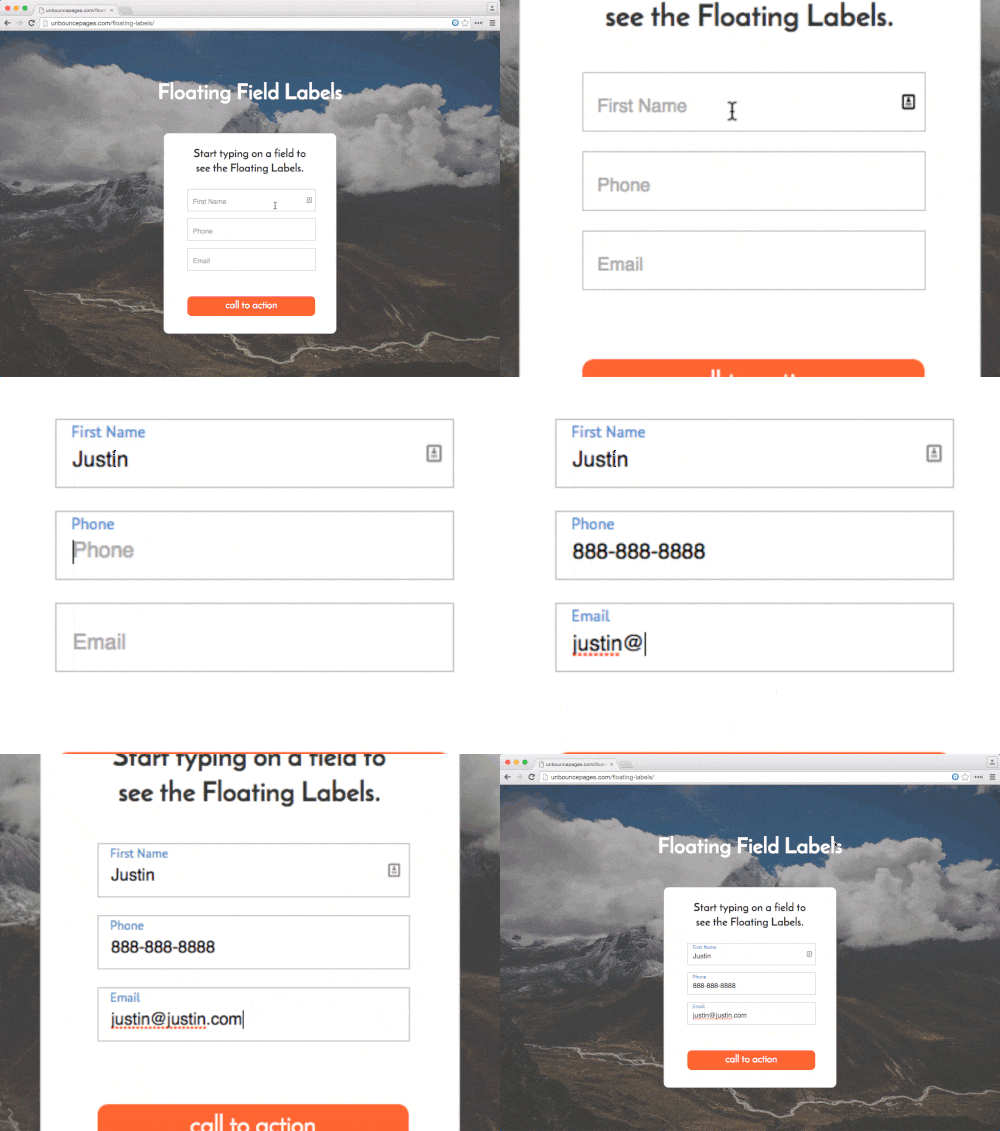
This is community code, not an official Unbounce feature. Unbounce Support can't troubleshoot custom code. Test it on a published page before relying on it, and work with a developer if you aren't comfortable editing HTML, JavaScript, and CSS.
Before you start
Set your form to show labels inside the fields. See Adding and Editing Forms in the Classic Builder. The script is hosted on GitHub as Floating field labels.
Add floating labels to your form
- Copy the JavaScript from the gist and add it to the JavaScripts section with placement set to Head.
- Copy the CSS from the gist into the Stylesheets section.
- (Optional) Change the label font, size, and color in the CSS. To change where the label sits, adjust the
topvalue. - Save and republish the page.
Test the change
Run an A/B test with a small share of traffic to confirm the floating labels don't lower your conversion rate.