
You can build a simple image gallery in the Classic Builder without any code by linking lightboxes together. Each lightbox shows one image and a button that opens the next.
Build the gallery
- On your page, add a button that opens a lightbox.
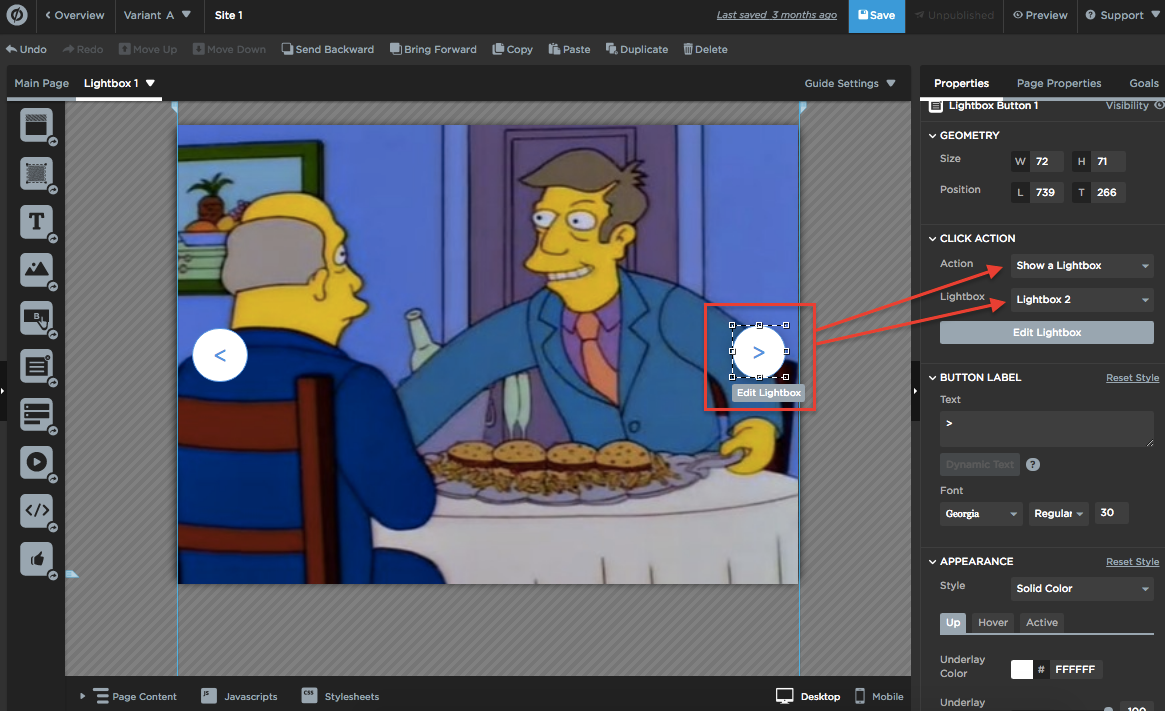
- Add an image to that lightbox. This example calls it Lightbox 1.
- In Lightbox 1, add a button that opens a second lightbox, Lightbox 2.
- In Lightbox 2, add a button that opens a third lightbox, Lightbox 3.
- In Lightbox 3, add a button that opens Lightbox 1, so the gallery loops.
- (Optional) Add back buttons so visitors can move to the previous image.
Use relevant, high-quality images. Generic stock photos can make an otherwise strong page less convincing.